Categories: Tech News

How To Open Pattern Lock On Your Phone? if you forget

Smartphones are part of our life these days. We are using smartphones more than anything in this world. Our smartphone carries a lot of personal information that we don’t want to share with others. So final solution for our privacy is to lock those apps or Files with Password or pattern lock.
But in this case, the problem is when we opt to lock every app that we want to secure we easily forget those passwords.So here in this post, I’m going to give a solution to this problem.
In this background, we will let you know how to open your smartphone patron or PIN number. Get to know them through the steps below.

Method 01:

You need to reset your phone to bypass your lock screen. I’ll tell you in below steps.


Step 01:

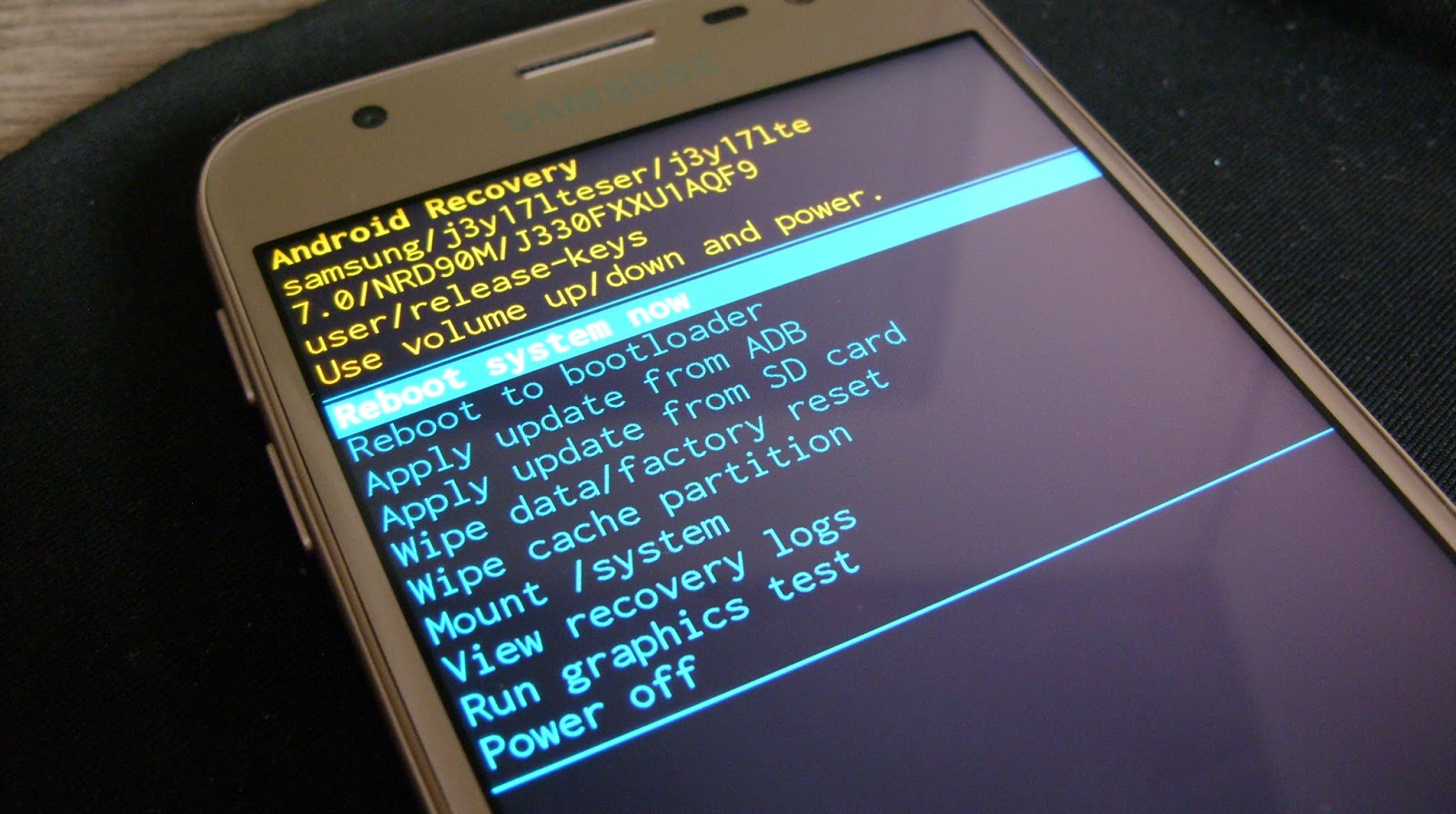
First turn off your phone. Recovery mode is turned on by pressing Volume Up, Power buttons together.In some smartphones Volume Down and Power buttons.

Step 02:

Once you enter bootloader you will find Recovery mode option.

Step 03:

Next, use volume/power button for control the Recovery mode.Select  Wipe Data / Factory Reset option.


Method 02:

You can also pass Pattern Lock by turning on Safe Mode, for which you first turn off your phone and hold down the power button. Then Safe Mode will be open and your phone will be able to be repatched there.


Method 03:

The lock screen can be bypassed by Android Device Manager. For this, you need to have a Google Account on your phone.

Step 01:

You will need to log on the Android device through the Gmail ID.

Step 02:

Then click on the lock button after the device is connected. The new window will open and there will be a new password, PIN, and Pattern.


Method 04:


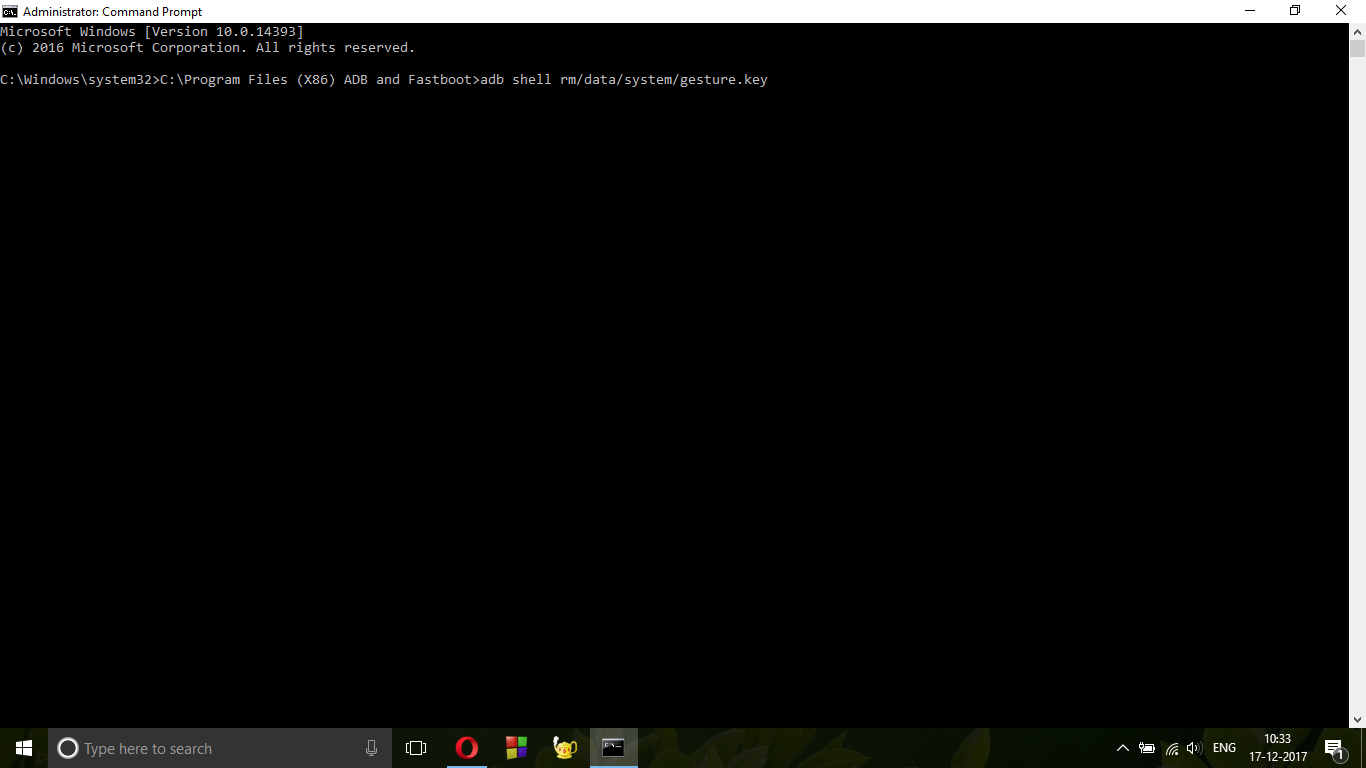
You can bypass your patron by connecting the USB. Connect your phone to a computer. Then open the Command Prompt by ADB and reboot your phone.


Method 05:

This will be useful when using Samsung phones.

Step 01:

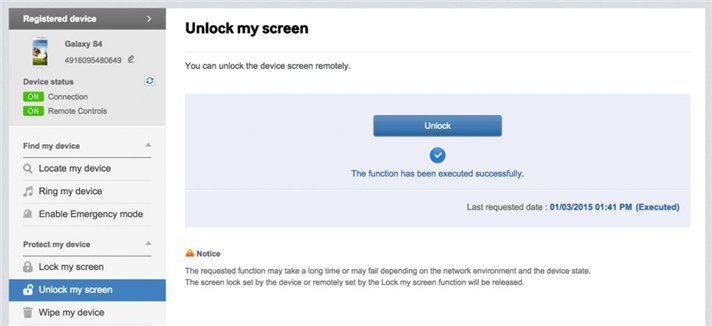
Log in from Samsung Account.

Step 02:

Open lock my screen option.

Step 03:

Then click the New Pin and Lock button.

Step 04:

Then your PIN can be changed.When you put a new pin it will be open.


Summary:

One of the main reason to apply a lock on our smartphone is to keep away from checking our personal information. In the worst case, you could change PIN or pattern lock in some urgency and then forget it. If you have been in that situation or in that situation right now, we have compiled some tested method that you can use to bypass the lock.

Also Read: Why Your Smartphone Hangs? Here’s The Reason & Solution

praveen

Recent Posts

Android vs. iPhone in 2026: Which Ecosystem is Cheaper?

Choosing between Android and iPhone in 2026 is no longer just about specs, cameras, or…

6 days ago

Why Your Older Articles Are Dying (And How to Resurrect Them)

You published an article months ago. Maybe even years ago. It performed well at first.…

2 weeks ago

The “AI Bubble” is Bursting: What’s Left When the Hype Dies

For the past few years, artificial intelligence has dominated headlines, investment pitches, and product launches.…

3 weeks ago

Stop Clicking “I Agree”: What You’re Actually Signing Away

Every day, millions of people click “I Agree” without reading what they are agreeing to.…

4 weeks ago

Linux Mint vs. Zorin OS: The “Windows Replacement” Showdown

Thinking about leaving Windows behind? You are not alone. Between forced updates, rising hardware requirements,…

1 month ago

How to Future Proof Your Tech Purchases in an AI World

Buying tech used to be simple. You checked the specs, compared the price, and picked…
1 month ago